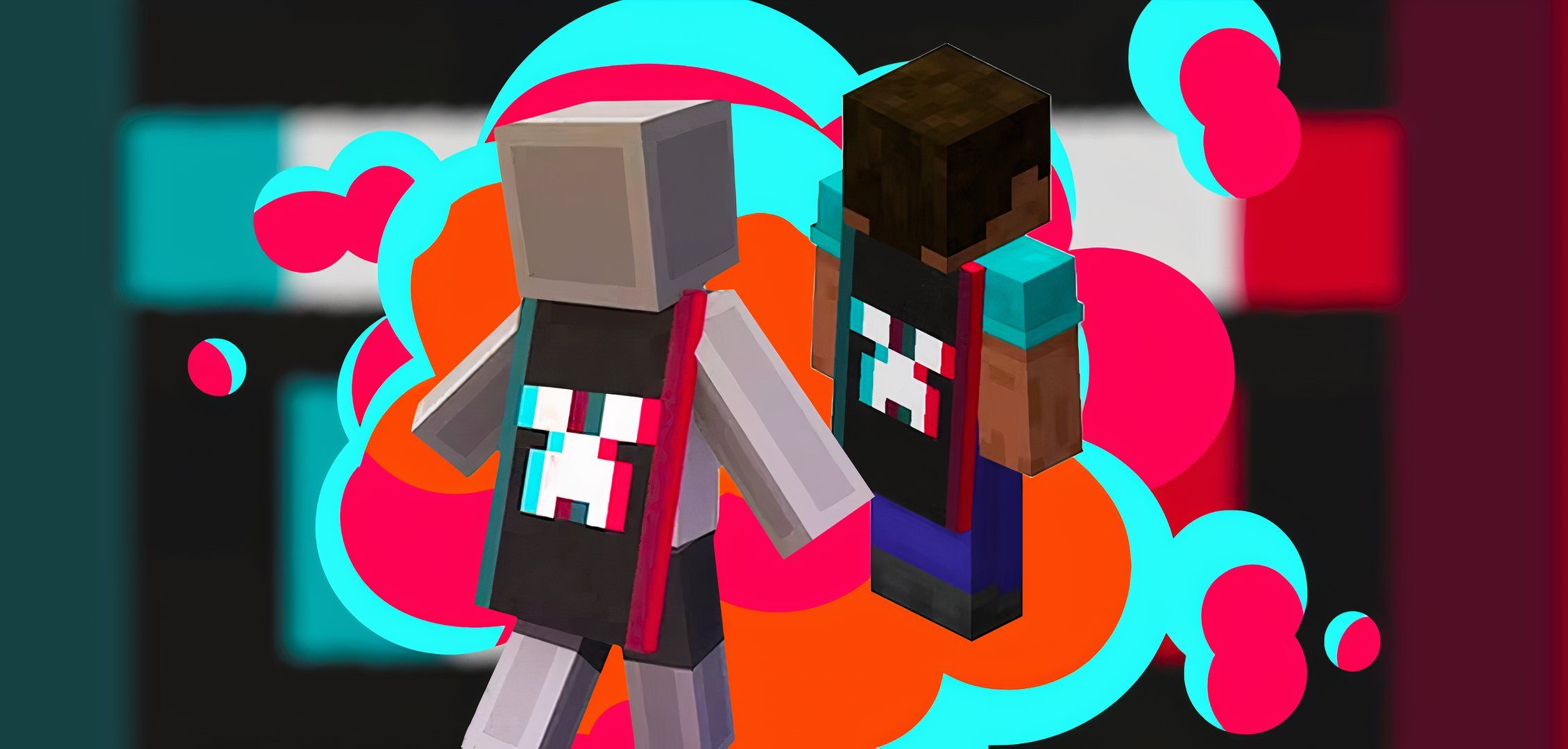
How To Get The TikTok Cape In Minecraft
As part of Minecraft's 15th anniversary celebrations, players can claim a special TikTok-themed cape for their characters by watching Minecraft streams. Most wearable in-game capes tend to be quite rare, as they were previously only given out to Mojang employees, MINECON attendees, and prominent community members who made special contributions to development. As such, players shouldn't miss out on this chance to claim a rare cosmetic item.
To claim the TikTok-themed cape, players need to watch and comment on Minecraft streams on the TikTok platform to obtain a code. Leaving a comment on TikTok requires a TikTok account, so anyone wanting to claim the cape must sign up or potentially sign in via Google, Facebook, Twitter, or Apple accounts. Other than that, the process for claiming the TikTok cape is actually fairly simple.
Related 10 Best Seeds For Minecraft 1.20 To experience everything new Minecraft 1.20 has to offer, you can use custom seeds to generate worlds with stunning views and lots of resources.
How To Get The Minecraft TikTok Cape On TikTok
To get the TikTok Cape, find a live Minecraft stream on TikTok and comment "Minecraft" in live chat. As long as the creator has the reward enabled, a TikTok-shaped icon should pop up at the top left of the screen after three minutes. A code can be claimed and redeemed on Minecraft.net to unlock the cape by clicking it.
The TikTok Cape promotion is only available between May and June 18th, so players will need to grab the cape before the promotion ends.
It's worth noting that the promotion may not be available in all regions, so some players may not be able to get the code. Alternative reward drops are available on Twitch, where players can watch 15 minutes of a Minecraft stream or gift a subscription to earn the Twitch Purple Heart Cape and the Twitch Glitch Mask, respectively.
How To Equip Capes In Minecraft
Minecraft Bedrock Edition players can equip new capes in-game by selecting the Dressing Room tab in the Main Menu and selecting the Capes tab at the bottom. New capes can be selected and worn as players explore new Minecraft Bedrock seeds.
Minecraft Java Edition players must log onto Minecraft.net, sign into their accounts, and select the Change Skin tab under Minecraft Java Edition in My Games. At the bottom of the screen, players can swap between the different capes they have unlocked.
Minecraft does feature cross-platform play, so other players in multiplayer will also be able to see any capes players have equipped.
It's worth noting that the TikTok Cape is currently only available in Bedrock Edition but will become available in Java Edition by July 8th. As such, Minecraft Java Edition players don't have long to wait for their anniversary cosmetics to appear in their inventories.






COMMENTS